WRITER is a fast, native word processor for macOS & Windows — Word-style editing, track changes, editable clause & template libraries, and pixel-perfect PDF export. No cloud. No subscription. Your documents stay on your computer.
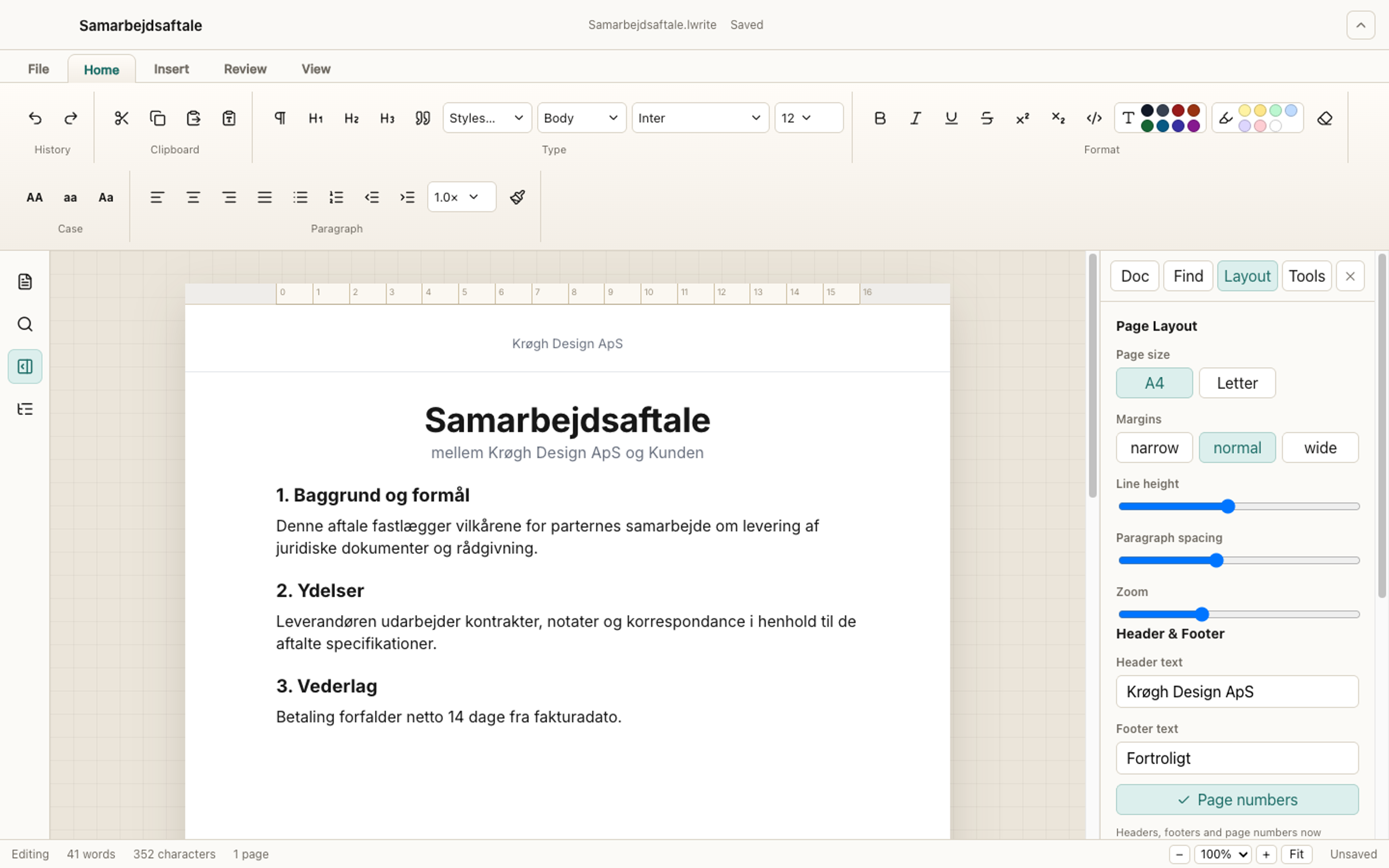
A real screenshot — ribbon, on-page headers & footers, and the Layout panel.
Familiar Word-style tools with the polish of a native desktop app, plus the extras professionals actually need.
Home, Insert, Review & View tabs. Styles, format painter, tables with cell merge, multilevel lists, tab-stop ruler.
Real page headers & footers, Danish “Side X af Y” numbering, watermarks, and sequential page stamping — exactly what you see on screen.
Mark insertions and deletions, accept or reject, add comments — with full, reliable undo & redo throughout.
Editable libraries of letters, reports, memos and reusable text blocks. Edit the built-ins or save your own — reset anytime.
See headers, footers and page numbers right on the page as you type. Insert {date} tokens; export exactly what you see.
Open Word files and export everywhere. Native .lwrite format keeps your formatting intact.
Distraction-free writing, a warm paper light theme, and a deep dark theme with an accent colour you choose.
Everything stays local. Autosave, version history, recent files — no account, no telemetry, no subscription.
Built with Electron for macOS & Windows. Opens instantly and feels at home on either platform.
WRITER pairs everyday word processing with the details that make formal documents look right — so your reports, letters and proposals read as carefully as they were written.

Free for macOS and Windows. Pick your platform, then start writing.
macOS 12+ or Windows 10/11. The app is unsigned — on macOS, right-click it in Applications and choose Open the first time; on Windows, click More info → Run anyway at the SmartScreen prompt.